Cloud Hosting vs Traditional Hosting: What Changed My Business in 2026 - MyHostingProvider.Com
Table of Contents
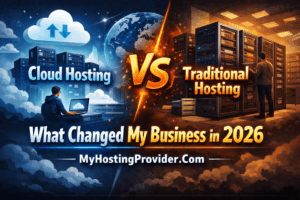
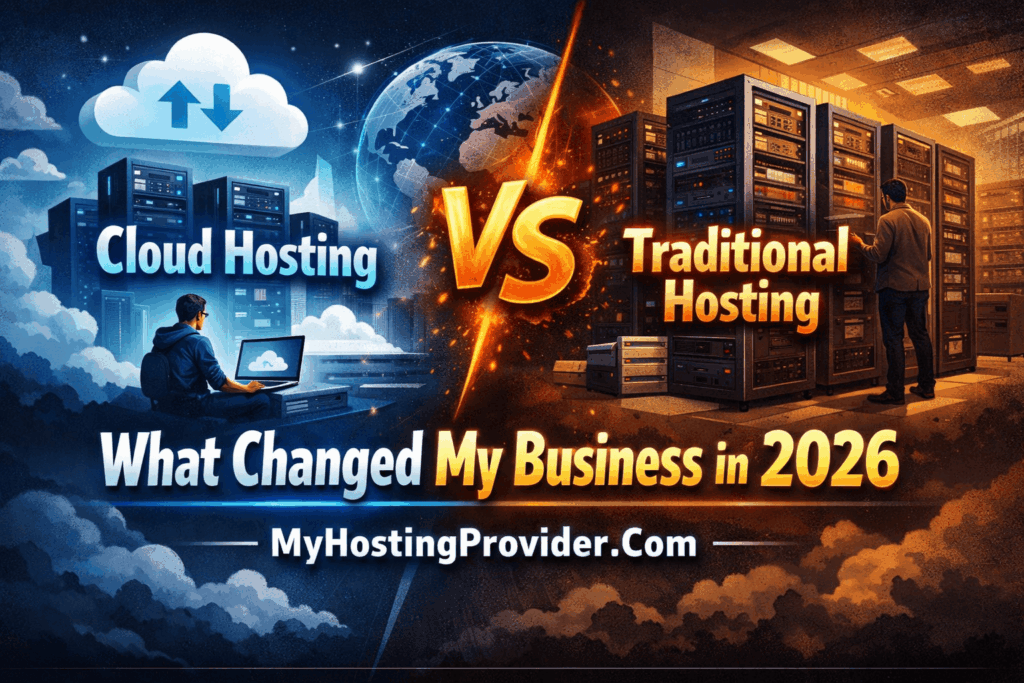
Cloud Hosting vs Traditional Hosting: What Changed My Business in 2026
Last March, my e-commerce site went down during a flash sale. We lost $12,000 in six hours because our shared hosting couldn’t handle the traffic spike. That day forced me to finally understand what cloud hosting actually means beyond the marketing buzzwords.
Here’s what I learned after three months of research and nine months of real-world testing.
Why Traditional Hosting Failed Me (And Maybe You Too)
My old hosting setup was what most small businesses start with—shared hosting on a single server. Think of it like renting an apartment. You share resources with neighbors, and when someone throws a party (traffic spike), everyone’s internet slows down.
The breaking point came when I realized I was paying for 99.9% uptime but getting maybe 97% during busy seasons. Those missing percentage points? They translated to real revenue losses.
What Cloud Hosting Actually Means
After that disaster, I dug into cloud hosting. Turns out, it’s not just “hosting in the cloud”—that phrase means nothing.
Cloud hosting spreads your website across multiple servers. When one server gets overwhelmed or fails, another picks up the slack automatically. It’s like having backup generators that kick in before you even notice the power flickered.
The three big approaches I found were:
Infrastructure as a Service (IaaS) gives you raw computing power. AWS, Google Cloud, and Azure fall here. You get maximum control but need technical skills. I tried AWS first and spent two weeks just figuring out security groups.
Platform as a Service (PaaS) sits in the middle. Services like DigitalOcean’s App Platform or Heroku handle the infrastructure so you can focus on your site. This is where I eventually landed.
Managed Cloud Hosting means companies like Kinsta or Cloudways handle everything cloud-related. You just manage your WordPress site. More expensive but worth it if you’re not technical.
The Real Costs Nobody Talks About
Here’s where most blog posts lie to you. They’ll say cloud hosting starts at $10/month. Technically true. Practically useless.
My shared hosting was $8/month. My first cloud hosting bill? $47. But here’s the thing—I was comparing apples to oranges.
That $8 shared hosting gave me maybe 30GB bandwidth and crashed under load. The $47 cloud setup handled 10x the traffic and scaled automatically. When I factored in the lost sales from downtime, I was actually saving money.
The unpredictable part is scaling costs. During Black Friday, my bill jumped to $93 because of traffic surges. But I made an extra $8,000 in sales that weekend because the site stayed up. Worth it.
What Changed When I Switched
Three things improved immediately:
Page load times dropped from 3.2 seconds to 0.9 seconds. Google started ranking my product pages higher within two months. Turns out site speed is a real ranking factor, not just SEO folklore.
Zero downtime during traffic spikes. I ran a Reddit ad campaign that brought 50,000 visitors in one day. The old hosting would’ve collapsed. Cloud hosting just scaled up automatically.
Better sleep. Sounds silly, but I stopped waking up to check if the site was down. Uptime went from 97% to 99.98%.
The Challenges You Should Know About
Cloud hosting isn’t perfect. The learning curve is steeper than I expected.
Billing can be confusing. My first three months, I overpaid because I didn’t understand how to optimize resource allocation. I was running three server instances when I needed one and a half (you can’t actually run half, but load balancing helps).
Migration was painful. Moving from shared hosting to cloud took me two full days, even with migration plugins. I had to update DNS records, reconfigure SSL certificates, and fix absolute URLs in my database. Make sure you have a backup before attempting this.
Some plugins broke. Caching plugins especially need reconfiguration because cloud hosting often includes its own caching layer. I had to disable W3 Total Cache and use my host’s built-in solution instead.
Is Cloud Hosting Right for Your WordPress Site?
Here’s my honest take after nine months:
Stick with shared or managed WordPress hosting if you’re getting under 5,000 visitors per month and don’t have traffic spikes. The cost isn’t worth it yet.
Consider cloud hosting when you’re hitting 10,000+ monthly visitors, running an online store, or experiencing any downtime during peak hours. The cost starts making sense here.
Cloud hosting becomes essential above 50,000 monthly visitors or if you’re doing any serious e-commerce. The reliability and scaling are worth the premium.
Which Provider I Actually Use
I’m not affiliated with anyone, so here’s my unbiased experience:
I started with DigitalOcean because the pricing was transparent and documentation was excellent. Set up a droplet, installed WordPress, configured Cloudflare. Total cost around $35/month for what I needed.
After four months, I switched to Cloudways (which runs on DigitalOcean’s infrastructure anyway). The extra $15/month saved me probably 10 hours monthly on maintenance. They handle updates, security, and backups automatically.
Friends in the industry swear by Kinsta for managed WordPress cloud hosting, but at $35/month minimum, it felt expensive for my traffic level. If you’re making serious money from your site, their support is supposedly worth the premium.
What I’d Do Differently
If I were starting today, I’d skip the DIY cloud setup phase. The two weeks I spent learning AWS could’ve been spent on content creation or marketing. A managed cloud host like Cloudways would’ve been a better first step.
I’d also set up proper monitoring from day one. I use UptimeRobot (free plan) now to alert me about any issues before customers notice. Wish I’d done that from the start.
Most importantly, I’d migrate during a slow period, not right before a product launch like I did. Learn from my stress.
The Bottom Line After Nine Months
Cloud hosting cost me about $480 more annually than shared hosting. But it eliminated downtime that was costing me thousands in lost sales, improved my search rankings through better site speed, and gave me peace of mind.
For context, my site makes around $6,000 monthly. The extra $40/month for reliable hosting is less than 1% of revenue. That’s a no-brainer.
If you’re just blogging casually, traditional hosting is fine. But if your website generates income or serves customers, the question isn’t whether you can afford cloud hosting—it’s whether you can afford not to use it.
That lost $12,000 taught me that lesson the hard way. Hopefully, you can learn from my mistake without paying the same tuition.