What is a VPS Resource Pool? Understanding and Optimizing Your Virtual Server Resources - MyHostingProivder.com
Table of Contents
What is a VPS Resource Pool? Understanding and Optimizing Your Virtual Server Resources
Unlocking the power of Virtual Private Servers (VPS) has become increasingly important as businesses seek efficient ways to manage their resources. In recent years, the use of VPS has surged, with a 20% increase in adoption among small to medium-sized enterprises. As organizations grow, managing resources effectively can be a challenge. VPS resource pooling allows them to meet these demands effectively.
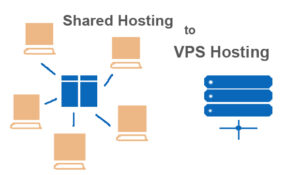
A VPS is a virtual machine that provides dedicated resources within a larger physical server. It offers more control, reliability, and security than shared hosting. VPS resource pooling is the practice of grouping these virtual servers to optimize resource use, making it a valuable solution for many businesses.
Understanding VPS Resource Pools: Core Concepts
Defining VPS Resource Pooling: A Technical Overview
VPS resource pooling involves combining multiple VPS instances to share resources like CPU, RAM, and storage. This differs from traditional VPS allocation, where each server operates independently. In a resource pool, the available resources are distributed among various VPS instances, improving efficiency.
The Benefits of Using VPS Resource Pools
- Improved Resource Utilization: By pooling resources, businesses can maximize the use of their hardware.
- Cost Savings: Organizations can reduce costs by sharing resources instead of investing in individual servers.
- Scalability: Resource pools allow for easy scaling as needs grow, enabling quick adjustments based on traffic or workload changes.
Common Use Cases for VPS Resource Pools
- Cloud Service Providers: Companies like Amazon Web Services and DigitalOcean use resource pooling to manage thousands of virtual servers efficiently.
- Large Organizations: Enterprises with multiple departments benefit from shared resources for testing, development, and production.
- High-Traffic Websites: Resource pools can balance loads and provide redundancy for websites with fluctuating traffic patterns.
Key Components of a VPS Resource Pool Architecture
Hardware Infrastructure: Servers, Networking, and Storage
A robust hardware infrastructure supports VPS resource pools. This includes:
- Servers: High-performance CPUs and redundant power supplies ensure reliability.
- Networking: Fast and secure connections between servers prevent bottlenecks.
- Storage: SSDs provide quick data access, essential for high-demand applications.
Virtualization Technology: Hypervisors and Containerization
- Hypervisors: These manage the virtual machines within the pool. They allocate resources efficiently and isolate each instance.
- Containerization: Tools like Docker and Kubernetes allow for lightweight deployment, making resource pooling more effective.
Resource Management and Allocation Strategies
Resource allocation in a VPS resource pool can be done using various methods:
- Static Allocation: Fixed resources are assigned, which may lead to wastage if not fully utilized.
- Dynamic Allocation: Resources are allocated based on real-time demands, optimizing the usage.
Optimizing Your VPS Resource Pool for Performance
Monitoring and Performance Analysis: Key Metrics and Tools
Monitoring performance is vital for a healthy VPS resource pool. Track these key performance indicators (KPIs):
- CPU Utilization
- Memory Usage
- Storage Availability
Tools like Nagios and Zabbix can help monitor these metrics effectively.
Strategies for Efficient Resource Allocation and Management
- Regular Audits: Review resource usage to identify underperforming instances.
- Load Balancing: Distribute workloads across servers to prevent overload.
- Automation: Use automation tools for scaling and managing resources dynamically.
Scaling and Capacity Planning: Anticipating Future Needs
To accommodate growth, consider:
- Forecasting Traffic: Analyze past data to predict future needs.
- Flexible Resources: Ensure that your resource pool can adapt based on real-time demands.
Security Considerations for VPS Resource Pools
Isolation and Security Measures within the Pool
Virtual machine isolation is crucial to prevent issues between instances. Implementing strong firewall rules and using secure configurations can mitigate risks.
Access Control and User Permissions
Establish granular access control. Techniques like role-based access can enhance security, allowing only authorized users to access specific resources.
Disaster Recovery and Business Continuity Planning
Develop a disaster recovery plan that includes:
- Regular Backups: Frequently back up data to minimize loss.
- Redundancy: Use redundant systems to ensure business continuity.
Conclusion: Maximizing Efficiency and Scalability with VPS Resource Pools
Utilizing VPS resource pools offers numerous benefits, including increased efficiency, cost savings, and improved scalability. To optimize your resource pool, focus on regular monitoring, strategic allocation, and robust security measures. Embrace the changes in technology to enhance your organization’s performance. Explore various tools and services to maximize your VPS resource pool capabilities.